Page: 1 2
Feedback
Comments
29 Responses to “Template Hierarchy”Trackbacks
- WordPress Template Hierarchie 2.0 - Schweizer WordPress Magazin
- Die Template-Hierarchie von WordPress | WordPress & Webwork
- Chip Bennett improves the template hierarchy diagram | WPCandy
- Improved Template Hierarchy Diagram « « rtCafe rtCafe
- Estructura completa de un theme de WordPress | ceslava | diseño & cursos
- October WordPress Recap | Pioneer Valley Web Meetups
- Wordpress Kategorie Beschreibung anzeigen

Good work Chip! This is a really nice improvement.
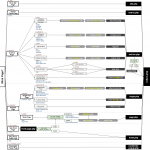
There’s an error though (looking at rev 3). The is_tax() conditional isn’t true for category and tag archives as the diagram states. The “Taxonomy Archive” block should be removed, and the “Category Archive”, “Tag Archive”, and “Custom Taxonomy Archive” blocks should be moved up to the same level as “Date Archive”, “Author Archive” and “Custom Post Type Archive”.
Also the “Custom Post Type Archive” block can have “post-type-archive post-type-archive-$posttype” added for its body classes.
John
John,
Thanks for pointing that out. Should be fixed from Rev 4 onward!
Nice work there! That looks far better than the ‘running’ chart I had on a word doc. That’s going to be very helpful, I reference people to the old diagram very frequently… with much further explanation. I’ll definitely appreciate the update!
Thanks, Rev! It’s on rev 7 now, and I hope this one is the final version. Have a look and let me know if you see any other issues.
Great enhancements Chip!
How would Post Formats be accounted for in the revised hierarchy?
I’m increasingly using get_template_part and finding it’s a really smart way of loading different post format templates with minimal code (e.g. )
Does get_template_part belong in your hierarchy at all?
Ed
Ed,
I’ve not accounted for Post Formats separately in the template hierarchy, mainly because they are a taxonomy, and are accounted for in the Custom Taxonomy Archive hierarchy. Do you think it would be worth adding a separate hierarchy for Post Formats, specifically?
No, it wouldn’t belong. The Template Hierarchy is for template files. Template-part files, including those added via
get_header(),get_footer(),get_sidebar(), andget_template_part()are files that are called from within template files. In other words, template files are the files that WordPress directly attempts to load from within core.Hey Chip – sorry about the late reply. Thanks for the points of clarification around Post Formats and get_template_part. Both make perfect sense. The Post Formats one might catch a lot of newer theme developers out before it slowly dawns on them that they are indeed taxonomies!
The latest revisions are looking pretty amazing. I could spend the day studying it if I had the time!
Ed
Thanks chip for taking time to draw these images. This is really useful for beginners and me
awesome..
thank you for this.
btw, is it necessary to put another template file in there?
like header.php footer, sidebar, etc,
with get template part or something..?
I guess for comments template, you can add is_comments_popup(). Thanks for the work
Thanks, Kaiser; that conditional definitely should be there! I’ll add it.
Hm. And I think paged.php is triggered before archive.php? Would wonder if the fallback really is the paged.php file and doesn’t override archive.php.
I think I have this one right. Have a look at template-loader.php. The
is_paged()conditional is the very last one tested, before the final fallback to index.php.First: You can delete my comments as the will (maybe) target “old” revisions. Two things: Below is_attachment() you got one arrow that’s leading to nothing. And for CPTarchive it’s missing the arrow.
No worries; all comments welcome! I did fix that, but haven’t uploaded a new version. I think this one is fine for getting any final comments/changes, and don’t want to bother people too often with minor, iterative changes.
I updated Codex to link to this page too – in case you want to blame someone for re-routing codex traffic
Kaiser, thanks for updating the Codex. I’ve been working on templates and didn’t recall seeing a link to Chip’s work here… so I had to check it out immediately.
Thanks, Chip. I know how much work goes into these types of diagrams, people who haven’t done it rarely realize that.
As it turns out, I’m working on a theme which implements every permutation of template listed in the Codex diagram. This is just for learning and “proof testing” for anyone digging around in the template system. It’s not a “public” theme in the sense that it will be submitted to the WordPress theme repository. Rather it’s open sourced on Github. I’ll definitely be using your diagram here for more in-depth reference.
The synchronicity on this material is awesome… once something decides it needs doing, many people come to the same conclusion, independently!
Nicely done, This one’ll be printed and sitting up next to my desk. Cheers!
Hi Chip!
Thanks for your effort, it is really useful for template makers! Don’t you think that wordpress template hierarchy y too complex and has nosense checks in it?
For example: paged templates is useless if it is called after archive template.
And attachements templates go from the more general to the more specific one ¿??
I think WP should review it template selection system, and I’m thinking about creating a theme with a more comprehensible hierarchy.
I don’t really think that the template hierarchy is too complex, really; though I do agree that the
paged.phptemplate file is mostly useless. Also, there is currently a Trac ticket for the improper specificity order for attachment mime-type template files. So, hopefully that one will get fixed soon.Aside from those two things: what else would you change?
Is there a reason this doesn’t just take the place of the image on the codex?
Should have led that with:
Great Job! This is a GREAT way for people to better understand what’s happening behind the scenes.
Thank you! I want to have a way to keep this current, and am open to suggestions. Right now, it’s just a GoogleDocs drawing, that I suppose I could share with collaborators?
Mika requested that I trim out some of the info (body classes, conditional tags) for the the replacement image for the current Codex image, along with a link to this “advanced” version. I just haven’t had the chance to polish up the trimmed-down version yet.
Hi Chip,
Great job on the new template hierarchy.
I would like to make modifications to it but your license says No Derivative Works. Could you modify it to support Derivatives? I basically want to make it nicer(different fonts and boxes) and make it fit into a landscape A4 or Letter size page so it’s easier to print
I like the way it’s looking now, just that I also like pushing pixels now and then and this looks fun. I never designed a diagram before
Cheers.
Hi Christian,
Thanks! I will fix the footer license declaration so that it’s clear, but everything that I publish WordPress-related is under GPL; so, feel free to modify and redistribute!
Let me know if you need a version in .SVG, for easier manipulation.
Sorry to be contrarian, but I don’t agree this is a clearer diagram than the old one on the codex. It probably would be if I could read it, but it’s far too small for all the print to be legible.
Also a legend to explain what the different colours mean would help.
Personally I’d rather have a simpler diagram with perhaps a link to something more detailed, like this, assuming it can be made large enough to read all the text.
Just my 2c (dwy geiniog Gymreig)
Peter,
No worries; constructive criticism is always welcome! A couple points, though: one, I did add a simplified version to the Codex, with a link to this more “advanced” version; and two, did you try clicking through to the full-sized image? I’m fairly certain that the full-sized version is big enough for just about anyone to read.
Chip